


-80x80.png)

-80x80.jpg)
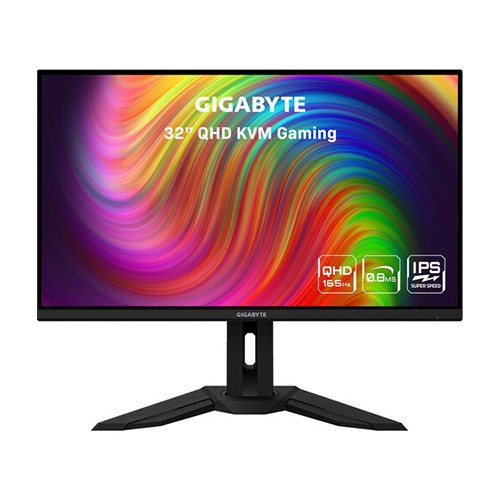
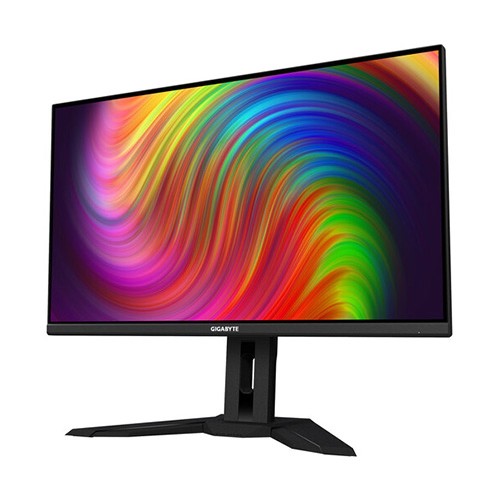
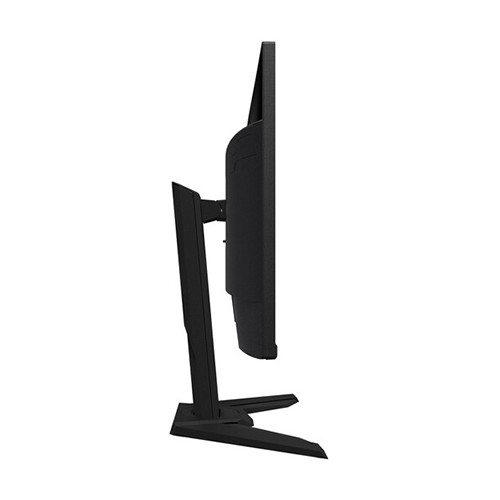
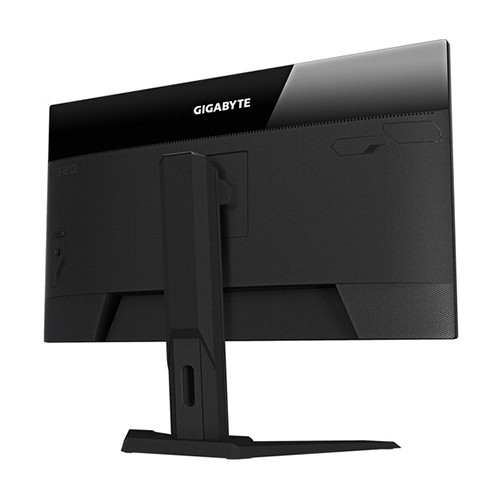
| Display Features | ||
| Display Size | 31.5” SS IPS | |
| Resolution | 2560 x 1440 (QHD) | |
| Viewing Angle | 178°(H)/178°(V) | |
| Brightness | 350 cd/m2 (TYP) | |
| Contrast Ratio | 1000:1 | |
| Refresh rate | 165Hz/OC 170Hz | |
| Color Support | Color Gamut 94% DCI-P3, 120% sRGB | |
| Response Time | 0.8ms (MPRT)/1ms (GTG) | |
| Power | ||
| Power Consumption | Power Type: built-in AC Input Max: 120W Power Saving Mode < 0.5W Power Off Mode < 0.3W Voltage AC 100V~240V /50~60Hz |
|
| Connectivity | ||
| I/O Port | Input Video Compatibility: Digital Connectors: HDMI, DisplayPort, USB, Earphone Jack HDMI: 2 x HDMI 2.0 DisplayPort : 1 x Display port 1.2 (capable for HDR) USB 3.0 3 x USB 3.0 | 1 x USB-C |
|
| Audio Features | ||
| Speaker Details | Speaker 3W x2 Flicker-Free Yes | |
| Speaker | 3W x2 | |
| Physical Specification | ||
| Weight | Net Weight with stand (Esti.): 10.2 Net Weight without stand (Esti.): 7.1 Gross Weight (Esti.): 13.6 |
|
| Dimensions | Phys. Dimension with Stand(WxHxD): 715.3*585.3*244.3 Phys. Dimension w/o stand (WxHxD): 715.8*423.8*68.2 Box Dimension (WxHxD): 958*554*196 |
|
| WARRANTY INFORMATION | ||
| Warranty | 3 years | |
The Gigabyte M32Q Gaming Monitor, Which Is Designed To Provide Liquid Smooth, Responsive Gaming Experiences. Featuring Thin Bezels, A 170 Hz Overclocked Refresh Rate Through The DisplayPort Input, And A 1 Ms Response Time, This 2560 X 1440 Resolution QHD Monitor Minimizes Motion Blur For Smooth Graphics When The Action Speeds Up. AMD FreeSync Premium Technology Reduces Screen Tearing, Stuttering, And Other Artifacts From Fast-Paced Sequences With Compatible Graphics Cards. Hybrid Log-Gamma And High-Dynamic Range Color Support Brings Your Movie And Gaming Experiences To Life With Vivid Colors That Include Bright Highlights And Deep Shadows. The Graphics Are Complemented By A Built-In 3W Stereo Speaker System. Control Multiple Computers Using One Mouse And Keyboard With The Monitor's Integrated Dual-Port KVM Switch, Which Allows You To Simultaneously View Images From Multiple Sources In Picture-In-Picture Or Picture-By-Picture Modes. You Can Simplify Your Setup By Transferring Video, Audio, And Data Over A Single USB Type-C Cable By Connecting The Available Port With Compatible Devices.With A 170 Hz Overclocked Refresh And A 1 Ms GtG Response Time, This 2560 X 1440 QHD Resolution Monitor Is Designed To Minimize Motion Blur For Silky-Smooth Gaming Experiences. Other Features Include A 1000:1 Static Contrast Ratio And A 350 Cd/M² Brightness. Please Note That The 170 Hz Refresh Rate Is Only Available With The DisplayPort Input. The HDMI Ports Support Up To 144 Hz.
The 31.5" In-Plane Switching (IPS) Panel Delivers Up To 16.7 Million Colors, Covering 94% Of The DCI-P3 And 120% Of The SRGB Spectrums, With High-Dynamic Range And Hybrid Log-Gamma (HLG) Broadcast Standard Support For Incredibly Vivid Games, Photos, And Videos That Feature Bright Whites And Deep Blacks.
Reduce Screen Tearing With AMD's FreeSync Premium Technology. FreeSync Enables The Monitor To Dynamically Adjust Its Refresh Rate To The Frame Rate Being Output By The Graphics Card, Thereby Greatly Reducing Screen Tearing, Stuttering, And Other Artifacts.
The M32Q Includes Two HDMI 2.0 Ports And One DisplayPort 1.2 Input. You Can Also Transfer Video, Audio, Data, And Power With Compatible Devices Using The USB Type-C Port. Plug A Pair Of Headphones Into The 3.5mm Jack For Listening Privacy.
Plug A Keyboard And Mouse To The Dual Port KVM Switch While Connecting The Monitor's USB Type-B And USB Type-C Ports To Different Devices To Switch Control Between Multiple Systems. You Can View Content From Up To Two Sources Simultaneously Using The Picture-In-Picture (PiP) Or Picture-By-Picture (PbP) Functions.
Get specific details about this product from customers who own it.
