
-DDR4-3000MHz-Ram-500x500w-228x228.jpg)

-228x228.png)
-228x228.jpg)
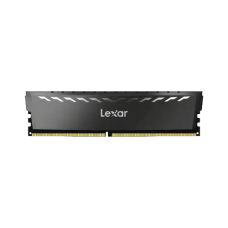
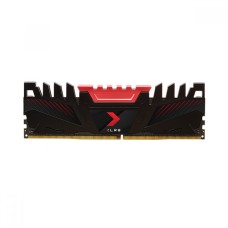
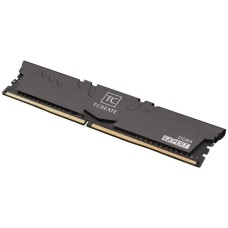
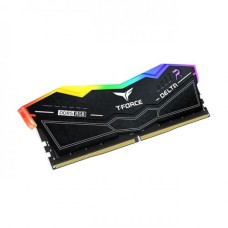
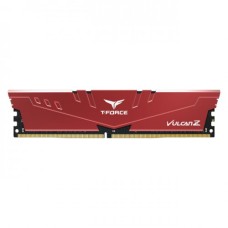

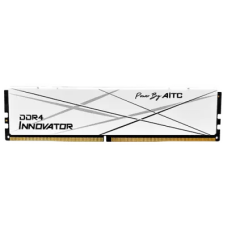
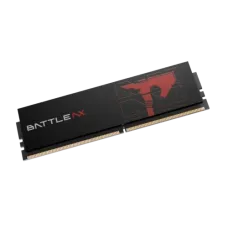
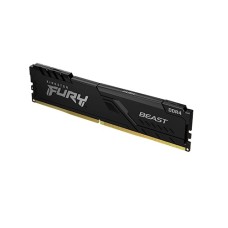
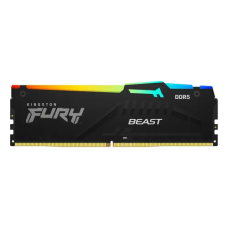
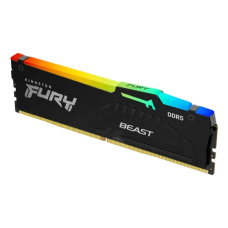
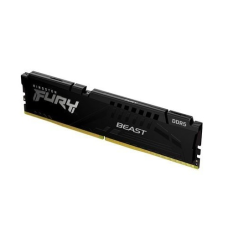
In today’s fast-paced digital world, your desktop’s performance heavily depends on the memory it uses. Advanced desktop RAM plays a vital role in ensuring smooth multitasking, faster application launches, and lag-free gaming experiences. Whether you are a professional handling demanding software or a gamer looking for high-speed performance, upgrading your desktop RAM can make a remarkable difference. Desktop RAM Price starts from BDT 2,500৳ and goes up to BDT 57,999৳. When considering an upgrade, it’s essential to know the desktop RAM price in BD to make an informed decision that fits your budget. From DDR4 to DDR5, the variety of RAM options available in Bangladesh allows users to choose memory modules that suit both their system requirements and financial plan. High-speed RAM modules not only enhance gaming graphics and reduce load times but also improve overall system responsiveness during heavy workloads.
For gamers, having sufficient RAM ensures smooth gameplay without unexpected stutters or crashes. Professionals working with video editing, graphic design, or 3D rendering will also notice a significant improvement in productivity as programs run faster and multitasking becomes seamless. Choosing the right capacity and speed can maximize your computer’s potential and provide a noticeable performance boost. Moreover, keeping track of the desktop RAM price in BD helps you find the best deals without compromising quality. Trusted brands offer reliable memory modules that are durable and compatible with most desktop setups. PC House provides a wide selection of desktop RAM in Bangladesh, allowing you to upgrade confidently and enjoy long-term performance benefits.
Upgrading your desktop’s memory can significantly boost performance, but choosing the right RAM requires careful consideration. Whether you are a gamer, a professional, or a casual user, understanding the essential features of RAM will help you make the best choice. Before purchasing, it’s important to check the desktop RAM price in BD and compare different options to get the best value without compromising quality. From speed and capacity to compatibility, the right RAM can enhance system performance, improve multitasking, and provide a smoother computing experience. Here are the key features to keep in mind before buying desktop RAM:
High-performance RAM to upgrade your desktop? PC House offers a wide range of top-selling desktop RAM options that cater to gamers, professionals, and everyday users. Choose from trusted brands and the latest technology to enhance your system’s speed, multitasking, and overall performance.
Here are some of the most popular RAM modules available at PC House:
All these desktop RAM modules are sourced from reputable brands, ensuring durability, reliability, and excellent performance. Whether you want to upgrade your system for gaming, content creation, or professional work, PC House has the perfect RAM for you. Don’t compromise on speed and efficiency – find your ideal RAM today and experience a noticeable boost in desktop performance.
Choosing the right desktop RAM is crucial for maximizing your system’s performance. At PC House, we offer a wide range of high-quality RAM options to suit different needs, whether you are a gamer, professional, or casual user. Understanding the types of RAM available can help you make an informed decision and ensure compatibility with your desktop setup.
DDR3 RAM – Ideal for older systems, DDR3 RAM provides reliable performance for basic computing tasks, including office work, browsing, and light gaming. It remains a cost-effective option for users with older motherboards.
DDR4 RAM – The most popular choice today, DDR4 RAM offers higher speed and efficiency compared to DDR3. It is perfect for multitasking, gaming, and professional software applications, providing faster data transfer rates and improved system responsiveness.
DDR5 RAM – The latest generation of desktop memory, DDR5 RAM is designed for high-end gaming and heavy workloads such as 3D rendering and video editing. With higher bandwidth and improved efficiency, DDR5 ensures your system is future-proof and ready for demanding tasks.
PC House ensures all RAM modules are sourced from trusted brands, offering durability, reliability, and a variety of capacities to match your requirements. By choosing the right type of RAM, you can enjoy smoother performance, faster loading times, and a more responsive desktop experience.
Desktop RAM plays a crucial role in enhancing both gaming performance and productivity. A well-chosen RAM module ensures smooth multitasking, faster application launches, and lag-free gameplay. For anyone building or upgrading a desktop, knowing the desktop RAM price in BD helps make an informed decision without overspending. To fully unlock your system’s potential, desktop RAM works best when paired with a powerful processor and a gaming motherboard. This combination ensures your applications and games run efficiently, while tasks like video editing, 3D rendering, and multitasking become seamless. Additionally, an affordable power supply guarantees stable performance without risking hardware damage, and a fast SSD complements RAM by reducing loading times and improving overall system responsiveness.
Whether you are a gamer looking for smooth frame rates or a professional managing demanding software, upgrading your RAM is a simple yet effective solution. At PC House, you can find a wide range of desktop RAM options, ensuring both quality and the right desktop RAM price in BD for your budget. Enhance your setup today and experience a noticeable boost in speed, efficiency, and overall computing performance.
When it comes to upgrading your desktop, choosing RAM from a trusted brand can make all the difference in performance and reliability. In Bangladesh, PC House offers a wide range of high-performance desktop RAM price in BD from some of the most reputable brands in the market, ensuring durability, speed, and seamless compatibility with your system. Some of the top RAM brands you can trust include Lexar, known for reliable and budget-friendly options; G.Skill, popular for high-speed gaming and professional performance; and Gigabyte, offering stable and efficient memory modules. Corsair and Crucial provide premium options with excellent speed and multitasking capabilities, while Team and Kingston are widely recognized for their balance of performance and affordability. PNY rounds out the selection with quality RAM that supports both gaming and professional workloads.
By choosing RAM from these trusted brands, you not only ensure enhanced desktop performance but also get peace of mind with warranties and consistent quality. Whether you are a gamer looking for fast response times, a professional handling heavy workloads, or a casual user wanting a smoother experience, these brands offer the perfect solution.
At PC House, you can find a wide range of desktop RAM options that combine performance, reliability, and affordability. Knowing the desktop RAM price in BD allows you to choose the right memory module without compromising on quality. Upgrading your RAM is one of the most effective ways to boost your computer’s performance, whether you are gaming, multitasking, or handling professional software. PC House ensures that all RAM modules are compatible with other PC components, such as processors, motherboards, and storage devices, to provide a seamless and efficient computing experience. From DDR4 to DDR5, PC House offers trusted brands with various capacities and speeds, making it easier for you to find the perfect fit for your system. Don’t let slow performance hold you back – upgrade your desktop with high-quality RAM at affordable prices and enjoy faster, smoother computing today.
What is the desktop RAM price range in BD?
The desktop RAM price in BD usually starts from around ৳ 2,500 and can go up to ৳ 57,999 or more depending on capacity, type (DDR3, DDR4, DDR5), and brand. Budget users can find affordable options, while high-end gamers and professionals may prefer premium RAM with higher speeds and capacity.
Where to buy desktop RAM in Bangladesh?
You can buy desktop RAM from trusted online store PC House in Bangladesh. Buying from a reliable source ensures you get original products, warranty support, and the best performance for your PC.
Which desktop RAM is best for gaming and multitasking?
For gaming and heavy multitasking, DDR4 or DDR5 RAM with at least 8GB–16GB capacity is recommended. Higher speed RAM (3200MHz or above) provides smoother performance, faster loading times, and better overall system responsiveness.