
-80x80.png)

-80x80.jpg)


| Display Features | ||
| Display Size | 24.5 inch | |
| Display Type | LED | |
| Resolution | 1 x DisplayPort 1.2 (up to 1920 x 1080 Pixel/240 Hz), 1 x HDMI 1.4 (up to 1920 x 1080 Pixel/ 60 Hz) |
|
| Aspect ratio | 16:9 | |
| Viewing Angle | 170°/160° (H/V) | |
| Brightness | 400 nits | |
| Contrast Ratio | 1000:1 (Ty), 100.000.000:1 (DCR) |
|
| Refresh rate | 240Hz | |
| Color Support | 16.7 million colors | |
| Response Time | 0.5ms (GTG, Min.), 1ms (GTG, Avg.) | |
| Audio Features | ||
| Speaker Details | Low Blue Light: Yes, Flicker-Free: Yes, G-Sync Support: Yes |
|
| Physical Specification | ||
| Weight | 5.5kg | |
| Dimensions | 560.10 x 523.51 x 213.49 | |
| WARRANTY INFORMATION | ||
| Manufacturing Warranty | 03 Years warranty | |
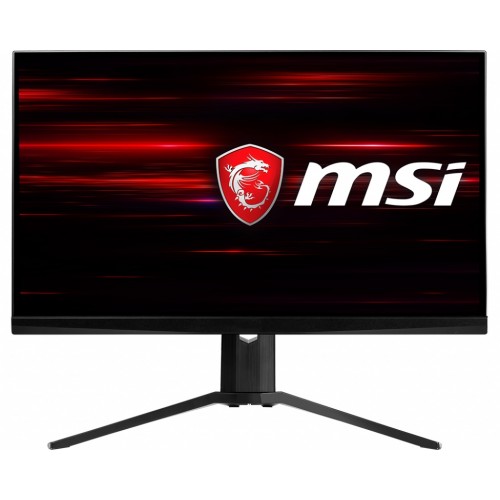
For people who play twitchy shooters, or eSports titles, a monitor’s refresh rate is a higher priority than its size, resolution, or niceties such as HDR or wide viewing angles. While monitors with a 144Hz refresh rate will suffice for most gamers, there are a select few gaming monitors that deliver insanely high 240Hz refresh rates. The MSI Oculux NXG251R is one such monitor, and in addition to its 240Hz refresh rate, its 24.5-inch TN panel features a 1920×1080 resolution, a 1ms response time, and Nvidia’s G-Sync technology to prevent frame tearing.
The monitor boasts razor-thin 0.25-inch bezels on the top and sides, and a fairly thin 1-inch bezel along the bottom. The stand is extra-sturdy and looks and feels like it could easily support a display of greater size. The metal tripod base acts as a solid, steady anchor and keeps the display from having even a hint of wobble. You get a luxurious 5 inches of height adjustment along with tilt, but you’ll need to make do without swivel or pivot.
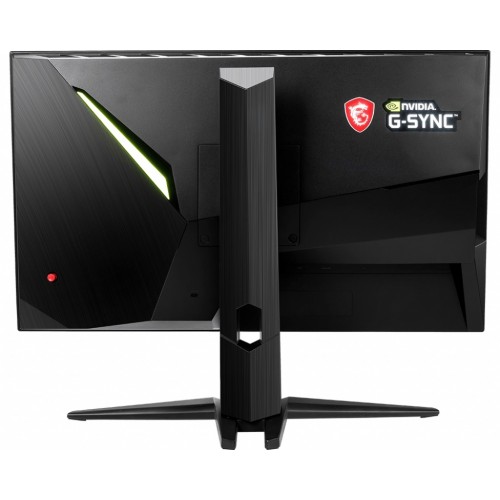
Connectivity covers the basics. In back, you get a DisplayPort 1.2 port, a HDMI 1.4 port, a headphone jack, and a USB Type B port that you use to connect to your PC to power the monitor’s three USB 3.1 Type A ports. Those are conveniently located along the monitor’s left side, where I wish the headphone jack was as well instead of in its harder-to-reach spot facing downward in the back. DisplayPort and HDMI cables are included in the box along with the USB cable needed to make the connection between the display and your PC.
To run at the display’s max 240Hz refresh rate, you need to use DisplayPort; HDMI 1.4 tops out at 60Hz. A small joystick sits on the back panel for controlling the OSD. It makes navigating the OSD much easier than a row of buttons would. You can press the joystick to access the full OSD menu, and there are also shortcuts built in.
Press the joystick to the right to change the input source and to the left to set a timer. Move it up to select a different display mode (Standard, FPS, Racing, RTS, RPG and Profile 1 or 2) and move it down to turn on screen assistance, which places a crosshair overlay at the centre of the screen. The OSD itself offers minimal settings. You can adjust the brightness and contrast but there are no controls for color temperature, gamma, hue, or saturation.
Get specific details about this product from customers who own it.