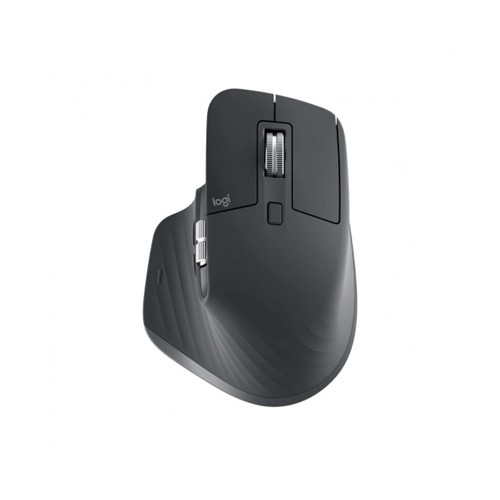
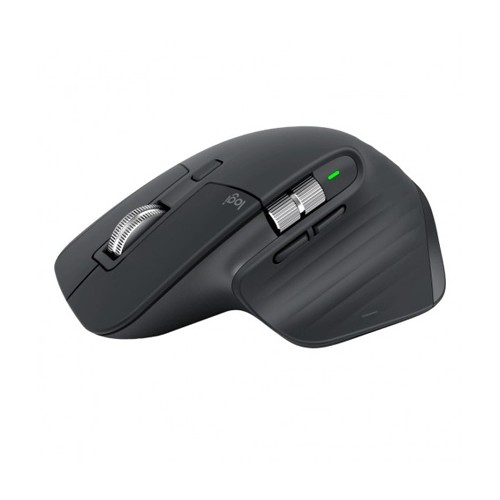
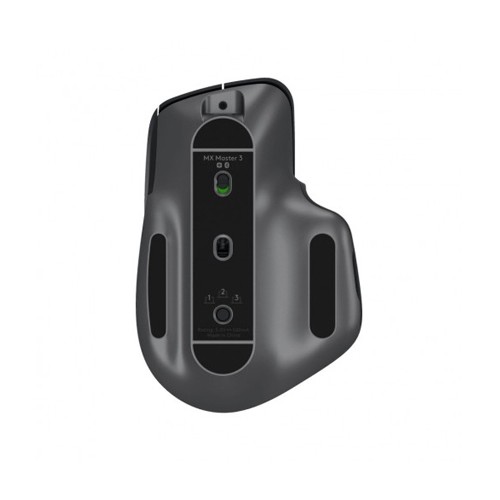
MX Master 3 is an advanced Master series mouse, designed for creatives and engineered for coders. It has 7 buttons: Left/Right-click, Back/Forward, App-Switch, Wheel mode-shift, Middle click. Scroll 1,000 lines in 1 second. The MagSpeed Electromagnetic scrolling is precise enough to stop on a pixel and quick enough to scroll 1,000 lines in a second and it’s nearly silent. The wheel’s machined steel gives it premium tactility and enough weight to offer dynamic inertia you feel – but don’t hear. Work comfortably with a silhouette perfectly crafted for the shape of your palm. Create, make, and do more intuitively with ideally-placed front/back, and gesture buttons – and a new thumbwheel. You can customize MX Master 3 and configure every action for your specific workflow. MX Master 3 is fully customizable in nearly every app you use – and you’ll work faster with predefined customizations optimized for your favorite apps such as Adobe Photoshop, Adobe Premiere Pro, Final Cut Pro, Google Chrome, Safari, and Microsoft Word, Excel, PowerPoint, and Edge.
WORK FASTER WITH APP-SPECIFIC CUSTOMIZATIONS
Customize MX Master 3 And Configure Every Action For Your Specific Workflow. MX Master 3 Is Fully Customizable In Nearly Every App You Use – And You’ll Work Faster With Predefined Customizations Optimized For Your Favorite Apps12Requires Logitech Options Software, Available For MacOS And Windows. - Adobe Photoshop®, Adobe Premiere Pro, Final Cut Pro®, Google Chrome™, Safari®, Zoom®, Microsoft Teams®, Word®, Excel®, PowerPoint®, And Edge.
APP-SPECIFIC SETTINGS TUTORIAL
See Demonstration Video On How To Use MX Master 3 In Your Everyday Applications.
MULTIPLE COMPUTERS, ONE MX MASTER 3
Seamlessly Control Multiple Computers With Your Flow-Enabled MX Master 3 By Simply Moving Your Cursor To The Edge Of The Screen. Your MX Master 3 Flows With You, Even Between Windows® And MacOS® Operating Systems.
Effortlessly Transfer Text, Images, And Files Between Computers – Just Copy On One And Paste To The Other.
TRACK FASTER – ON VIRTUALLY ANY SURFACE
MX Master 3 Is Faster And 5x More Precise Than The Basic14Compared To Regular Logitech Mouse Without An Electromagnetic Scroll Wheel. So You Hit The Right Pixel Every Single Time. Logitech Darkfield™ Tracking Allows You To Track On Virtually Any Surface – Even Glass154 Mm Minimum Glass Thickness. – With Best-In-Class 4000 DPI Precision.
USB-C QUICK CHARGING
MX Master 3 Stays Powered For Up To 70 Days On A Full Charge – And Gets Three Hours Of Use From A One-Minute Quick Charge.16Battery Life May Vary Based On User And Computing Conditions. Use The Included USB-C Charging Cable To Top Up The Power.
WORK BETTER. EVEN AT HOME.
Get The Tools You Need To Stay Focused And Execute Your Highly Specialized Functions. It’s The Best Desk Solution For High Achievers, With The Right Performance Tools Designed To Take Work To New Heights