


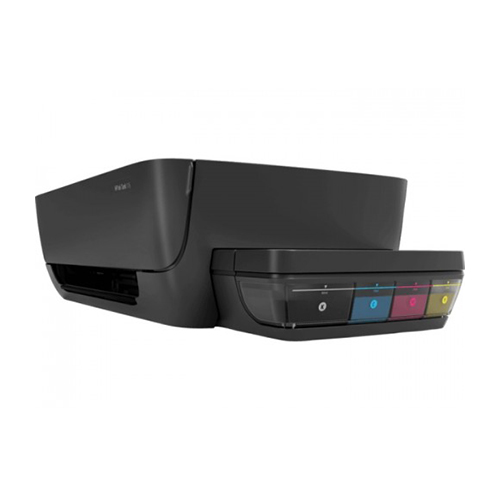
| Printer | ||
| Input Capacity | 60 Sheets |
|
| Monthly Print Volume | Recommended monthly page volume note: Up to 1000 pages Recommended monthly page volume: 400 to 80 |
|
| Output Capacity | 25 Sheets |
|
| Paper Size | A4; B5; A6; DL envelope (Note: Many other sizes are also supported. Any size between 3 x 5" and 8.5 x 14") 0 |
|
| Physical Specification | Color: Black Dimensions (W x D x H) Dimensions without stand (W x D x H): 523 x 284 x 138.5 mm Dimensions with trays up (W x D x H): 524 x 284 x 138.5 mm Maximum dimensions (W x D x H): 523 x 569.75 x 259.7 mm Package dimensions (W x D x H): 573 x 389 x 195 mm Weight: 3.4 kg Voltage: Input voltage 100 to 240 VAC (+/- 10%), 50/60 Hz (+/- 3 Hz). High voltage: Input voltage 200 to 240 VAC (+/- 10%), 50/60 Hz (+/- 3 Hz) |
|
| Resolution | Print quality color (best): Up to 4800 x 1200 optimized dpi color (when printing from a computer and 1200 input dpi) Print quality black (best): Up to 1200 x 1200 rendered dpi |
|
| Duplex Printing | Manual (driver support provided) |
|
| Duty-Cycle | Duty cycle (monthly): Duty cycle (monthly, letter): Up to 1000 pages Duty cycle (monthly, A4): Up to 1000 pages |
|
| Paper Type | Plain Paper, HP Photo Papers, HP Matte Brochure or Professional Paper, HP Matte Presentation Paper, HP Glossy Brochure or Professional Paper, Photo Inkjet Papers, Matte Inkjet Papers, Glossy Inkjet Papers |
|
| Paper Weight | A4: 60 to 90 g/m²; HP envelopes: 75 to 90 g/m²; HP cards: up to 200 g/m²; HP 10 x 15 cm photo paper: up to 300 g/m² |
|
| Print Technology | HP Thermal Inkjet |
|
| Display | 7 segment + icon LCD | |
| Processor speed | 360 MHz |
|
| WARRANTY INFORMATION | ||
| Warranty | 01 year warranty | |
The HP INK TANK 115 PRINTER can be configured to enter sleep mode and auto shutdown after it remains idle for a specified length of time, consuming less energy.
Print, scan, and copy everyday documents with HP’s most affordable all-in-one from the world's printer vendor. Get versatile performance and print, scan, and copy. Use your PC to set up in a few easy steps, and you're ready to print. Connect with USB and download the HP Smart app for a guided setup experience from your PC. Get started fast with easy setup. Use the HP Smart app to set up with USB in few easy steps. Depend on Original HP ink cartridges to deliver the crisp text and vivid colors you expect, page after page. Choose high-yield cartridges to get a better value for frequent printing. Original HP ink cartridges deliver sharp text and vibrant graphics for all your everyday documents.
Get specific details about this product from customers who own it.


