


| Basic Information | ||
| Others | Transmission Speed (kbps) Automatic Fallback: 14,400 bps 128 MB ( Up to 50 ) |
|
| BASIC INFORMATION | ||
| Display | 1.8 TFT Colour LCD | |
| Memory | 128 MB | |
| Basic Information | ||
| Functions | Print, Scan, Copy, Fax | |
| Printer | ||
| Input Capacity | Up to 80 sheets of 20 lb (80 g/m²) Plain Paper | |
| Output Capacity | Up to 50 sheets of 20 lb (80 g/m²) Plain Paper (face up print delivery to the output paper tray) | |
| Paper Size | Letter, A4, Legal, Mexico Legal, India Legal, Folio, Executive, A5, A6, Envelopes (C5, Com-10, DL, Monarch), Photo (4" x 6")/(10 x 15 cm), Photo L (3.5" x 5")/(9 x 13 cm), Photo 2L (5" x 7")/(13 x 18 cm), Index card (5" x 8")/(13 x 20 cm) | |
| Power Consumption | AC 100 to 120 V 50/60 Hz Copying: Approx. 19 W Ready: Approx. 3.5 W Sleep: Approx. 1.2 W Power Off: Approx. 0.2 W |
|
| Scan Resolution | Up to 19200 × 19200 dpi (interpolated) (from Scanner Glass) Up to 1200 × 2400 dpi (optical) (from ADF) Up to 1200 × 600 dpi (optical) |
|
| Copy Speed | 13cpm (B), 10.5cpm (C) | |
| Duplex Printing | Automatic | |
| Paper Weight | 80 gsm | |
| Print Speed | Print Speed (Black)- 30ppm Print Speed (Color)- 26ppm |
|
| Printer type | Multi Function Color Ink Printer | |
| Scan Speed | 4.38spp (A4) | |
| software support | Windows 7, 8, 8.1, 10, Vista, XP, Server 2008, 2012, 2016, Mac OS X 10.6.8 or later | |
| Toner/ Cartridge/ Refill | BTD60BK Black (6500 pages), BT5001M Magenta (5000 pages), BT5001Y Yellow (5000 pages), BT5001C Cyan (5000 pages), BT5000M Magenta (5000 pages), BT5000Y Yellow (5000 pages), BT5000C Cyan (5000 pages) (Please make sure your existing & mentioned toner/cartridge/ink bottle models are the same before buying a new one) |
|
| First Print Out Time | 6 sec (Mono), 6.5 sec (Color) | |
| Scan Type | COLOUR DEPTH - INPUT: 30-bit color processing COLOUR DEPTH - OUTPUT: 24-bit color processing / 256 levels per color GREYSCALE - INPUT: 10-bit color processing |
|
| Features | ||
| Dimension | 435 mm x 439 mm x 195 mm | |
| Technology | Inkjet | |
| Others | Mobile Printing- Yes (Brother iprint & Scan, AirPrint, Mopria) | |
| Weight | 9.7 kg | |
| Output | ||
| Output | Output Color: Color | |
| Photocopier | ||
| Copy Resolution | 1200 × 2400 dpi | |
| Connectivity | ||
| USB | USB 2.0 | |
| Connectivity | LAN: Yes | |
| Wi-Fi | IEEE 802.11b/g/n (Infrastructure) IEEE 802.11g/n (Wi-Fi Direct) |
|
| WARRANTY INFORMATION | ||
| Warranty | 1-year Limited warranty, an Adapter/Power Cable with no warranty, and also a Box Mandatory While Claiming. 1 year or 50,000 pages |
|
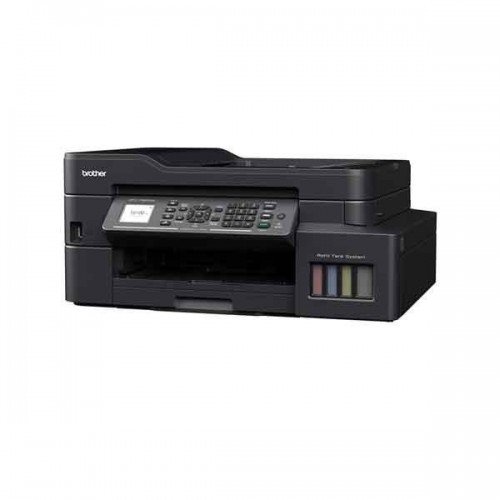
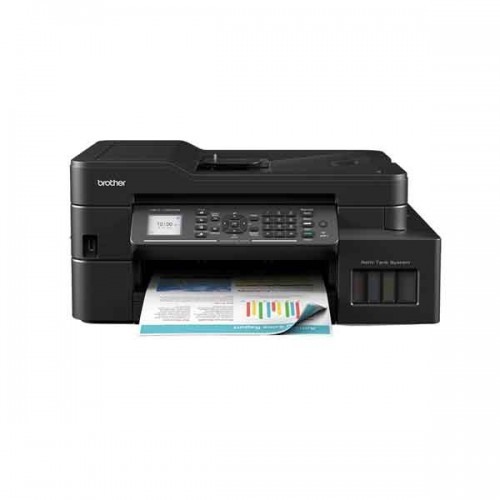
Brother MFC-T920DW All-in-One Ink Tank Printer
Get specific details about this product from customers who own it.
