
SAVE 2,010৳

LOGITECH G403 OPTICAL GAMING CORDED MOUSE WITH HIGH PERFORMANCE GAMING SENSOR
- Resolution: 200 – 12,000 dpi
- Max. acceleration: >40G*
- Max. speed: >300 ips*
- *Tested on Logitech G240 Gaming
5,490৳7,500৳
In Stock
Compare Product (0)
✕Your compare list is empty!
Your shopping cart is empty!
Mouse Price in Bangladesh 2026 starts from BDT 210৳ and goes up to BDT 19,200৳. At PC House, explore 371 models with 142 in stock. Updated on 26-11-2026, we offer authentic products at the best prices in Bangladesh.
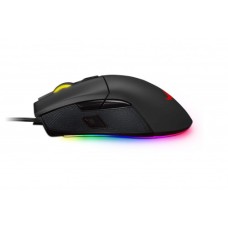
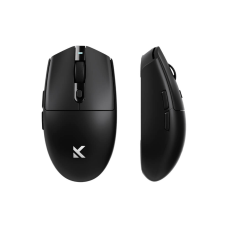
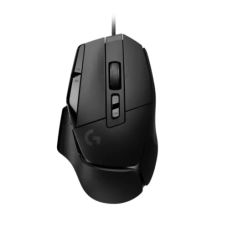


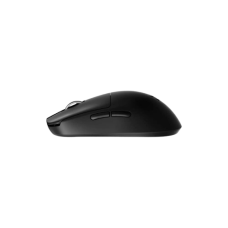
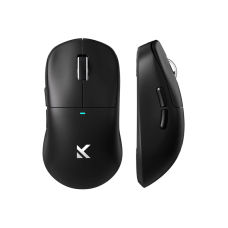
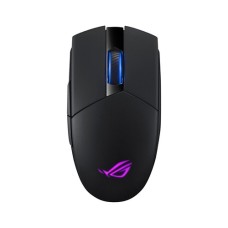
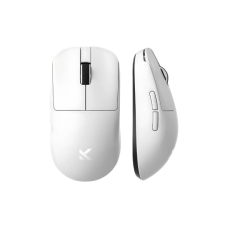
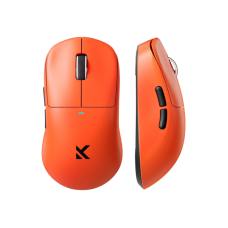
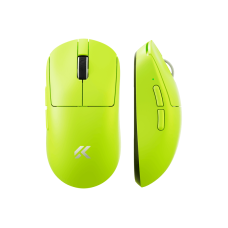
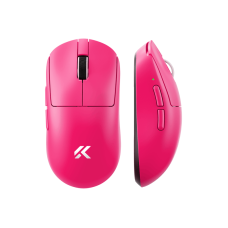
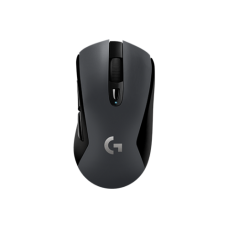
A mouse is a small device that a computer user pushes across a desk surface to point to a place on a display screen and to select one or more actions to take from that position. The mouse first became a widely used computer tool when Apple Computer made it a standard part of the Apple Macintosh. These days, the mouse is a necessary component of every PC's graphical user interface (GUI). The mouse's resemblance in size and color to a toy mouse is likely how it received its name. Typically, mice contain a scroll wheel, a laser sensor, and two buttons. They are employed for button clicks, object selection, and cursor movement on the screen.
There are two main types of mice: wired and wireless.
A wired mouse connects directly to your desktop or laptop, usually through a USB port, and transmits information via the cord. The cord connection provides several key advantages. For starters, wired mice provide fast response times, as the data is transmitted directly through the cable. They also tend to be more accurate than other designs. This can make wired mice models great for gamers, digital artists and other users who rely on high accuracy.
Wireless mice transmit radio signals to a receiver connected to your computer. The computer accepts the signal and decodes how the cursor was moved or what buttons were clicked. While the freedom or range with wireless models is convenient, there are some drawbacks.For example, a wireless mouse is typically less gesture-responsive than a wired mouse due to the decoding process. The lag may be particularly annoying for gamers. Nevertheless, certain wireless mouse are made specifically for gaming, and they have faster response times and handle latency in their design. However, the majority of users won't notice any lag or accuracy loss while using a wireless model.
There are also a variety of other types of mice, including the following:
Customers in Bangladesh can choose from a wide variety of mouse brands to meet their demands. Prominent brands like A4-tech, Micropack, Dell, HP, and Logitech rule the market with their creative designs and dependable functionality. To accommodate a diverse range of tastes, these businesses provide a large assortment of mice for gaming, work, and daily usage.
There are different parts of a computer mouse to work smoothly. All parts of the mouse are given below with their functions:
Mice typically have two buttons, but some mice have three or more buttons. Our selection caters to every preference, from minimalist to power-user. Whether you need up to 3 keys for simple navigation, 4 to 6 for basic functions, 7 to 10 for enhanced control, or 11 & above for advanced gaming or productivity tasks, we've got you covered. For your computing requirements, discover precision engineering, adjustable buttons, and ergonomic designs. Enhance your experience by finding the ideal ratio between comfort and functionality.
A mouse, if it is a mechanical mouse, uses a ball and rollers, and an optical mouse uses a laser or LED. These parts allow the mouse to track the movement on an x-axis and y-axis directions and move the mouse cursor on the screen.
A circuit board is located inside of mouse chasses, which is used to transmit all mouse signal information, clicks, and other information. This board includes all electronic components such as a diode, register, capacitor, and more. It accepts input in the form of electronic signals when a user gives any instruction by clicking the mouse buttons, scrolling, etc.
Nowadays, computer mouses also include a wheel that is used to scroll the document page up and down direction.
The corded mouse has a cable with a plug that connects to the computer. If the mouse is wireless, it requires a USB receiver to get the wireless signal, such as (Bluetooth, Infrared, Radio signals), and input it into the computer.
There are many benefits to using a mouse, including the following:
PC House BD, Bangladesh's premier destination for laptop, desktop, processor, smartwatche, and component, welcomes you to explore our nearby branches. Discover your preferred Mouse at competitive prices, available both in-store and on our official e-commerce platform. Benefit from nationwide delivery and extensive post-purchase assistance with every order. At PC House BD, we provide 24/7 online support services for your ease. Easily adjust the prices of Mouses on our platform. Be assured that any warranty issues are promptly dealt with, ensuring your satisfaction. Before making payment, thoroughly examine the delivered product. Should you have any queries, do not hesitate to contact us or return the item to our delivery personnel. Join our website to receive updates about sales, new product releases, and future events. Use PC House BD and Mouse to transact with ease.
Q: What is a computer mouse?
A: A computer mouse is a pointing device that allows users to interact with a computer by moving a cursor on the screen and selecting items.
Q: Who invented the computer mouse?
A: The computer mouse was invented by Douglas Engelbart in 1964 while he was working at the Stanford Research Institute. It was initially made of wood and had two metal wheels.
Q: How does a wireless mouse work?
A: A wireless mouse communicates with a computer using radio frequency (RF) signals or Bluetooth technology. It has a transmitter inside that sends signals to a receiver connected to the computer, allowing for cordless operation.
Q: What are the different types of computer mice?
A: There are several types of computer mice, including optical mice that use light sensors to track movement, laser mice that use laser beams for more precise tracking, trackball mice where the ball is on top of the device, and ergonomic mice designed to reduce strain on the hand and wrist.
Q: What is the importance of a mouse in computing?
A: The mouse is an essential tool in computing as it provides a user-friendly way to navigate and interact with a computer's graphical user interface (GUI). It allows for precise cursor control, easy selection of items, and efficient operation of software applications.
PC House Mouse price list shows the latest Mouse models available in Bangladesh, with official warranty and nationwide delivery. Prices last updated 2026-11-26.