
Upgrade Your Daily Digital Life with Lenovo Tablet Technology
Lenovo tablets are designed for people who want a smooth, simple, and reliable digital experience. These tablets are ideal for students attending online classes, parents looking for safe entertainment for children, and professionals who need a lightweight device for work, reading, or video calls. At PC House, you can find Lenovo tablets that easily fit into everyday digital life. In Bangladesh, Lenovo tablets are popular because they offer an excellent balance of price, performance, and durability. The Lenovo tablet price in Bangladesh usually starts from BDT 15,500৳ and can go up to BDT 49,000৳, making them suitable for both budget users and advanced users. PC House brings a wide range of Lenovo tablets so customers can choose the right model for study, office work, or entertainment.
Lenovo focuses on practical features that truly matter to users. These include eye-comfort displays, long battery life, smooth performance, and strong build quality for long-term use. Instead of only flashy specifications, Lenovo tablets are built to deliver comfort, reliability, and real value for money. PC House ensures genuine Lenovo products with trusted support. If you are looking for a dependable tablet with good performance at a reasonable price, Lenovo tablets from PC House are a smart and trusted choice in Bangladesh.
Compare Lenovo Tablet Series Before You Buy and Select the Right Tablet for Your Needs
Lenovo offers a wide variety of tablet series, each one built for very different kinds of users. The smartest choice is to pick the one that matches your real daily needs — there’s no reason to pay extra for powerful features or premium specs you’ll never actually use. Let’s break it down in a simple, straightforward way so you can decide exactly what’s right for you without overspending.
Entry-Level Series: Perfect for Students, Kids, and Everyday Casual Use
If most of your tablet time goes to online classes, watching YouTube or Netflix, scrolling through Facebook, Instagram, or TikTok, reading PDFs and e-books, jotting quick notes, or using basic everyday apps — this is the category made for you. These models are reliable, lightweight, easy to carry, and very wallet-friendly. What you typically get in most entry-level Lenovo tablets:
- HD or Full HD display (gentle on the eyes — you can read, study, or watch content for hours without feeling eye fatigue)
- Strong battery life (usually 10+ hours on a single charge, easily covering a full day of classes, video calls, or streaming sessions)
- Clean, simple Android interface (very beginner-friendly with no confusing menus or bloatware)
- Affordable price point (excellent value for money — you get solid performance without stretching your budget)
If your routine revolves around studying, attending Zoom/Meet classes, casual browsing, social media, and light entertainment, an entry-level model will handle everything smoothly. No need to spend more on hardware you won’t utilize.
Flagship Series: Built for Power Users, Gamers, Creators, and Heavy Multitasking
If you demand more from your device — playing graphically intensive games (like Genshin Impact, PUBG Mobile, Call of Duty on high settings), doing graphic design or digital illustration, editing videos, running multiple heavy apps at once, handling light office/productivity work, or simply wanting a premium, future-proof experience — this is the series you should consider.Key advantages you’ll find in high-end Lenovo models:
- High-resolution, high-quality displays (sharper details, richer colors, better contrast, and wider viewing angles — ideal for movies, creative work, or detailed tasks)
- Much more powerful processors paired with higher RAM (lightning-fast app loading, lag-free gaming, smooth multitasking even with demanding software)
- Premium build quality and materials (feels solid and luxurious in hand, better speakers, improved durability for long-term use)
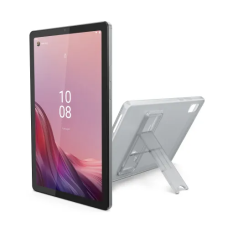
- Extra useful features (active stylus support for precise drawing and note-taking, optional keyboard accessories, built-in kickstands on some models, or even gaming-specific cooling in certain variants)
These tablets cost more initially, but the combination of top-tier performance, better longevity, and extra capabilities makes them a worthwhile long-term investment — especially if you plan to keep and heavily use the device for several years.
Important Specifications You Should Verify When Buying a Brand New Lenovo Tablet
Lenovo tablets (Tab M, Tab P, Yoga Tab, Legion series) are reliable choices for students, casual users, creators, or gamers in Bangladesh. Since you're going for brand new, you avoid most used-device risks like battery wear or hidden damage—but you still need to check key specs to match your needs and budget perfectly. Focus on these points before finalizing any purchase in 2026.
- Processor Generation and Performance: Choose a processor that supports smooth performance for at least the next 3–4 years. Entry-level models use MediaTek Helio G series or Snapdragon 6xx/7xx, while mid-to-high-end get Snapdragon 7+ Gen series, Dimensity 7000/8000, or even 8 Gen series in flagships. Avoid very basic chips (e.g., older Helio P or G series from 2022 models) if you plan heavy multitasking or gaming. Test in-store by opening multiple apps, Chrome tabs, and YouTube simultaneously—there should be no noticeable lag or heating. Newer processors also bring better efficiency, longer battery life, and support for the latest Android features.
- RAM Capacity and Multitasking: RAM is crucial for how many apps can stay open without reloading. 4GB is minimum for very light use (browsing, PDFs, calls), but 6GB or 8GB is the realistic sweet spot in 2026 for comfortable daily performance. Go for 8GB+ if you do online classes with Zoom + notes + browser tabs, or 12GB–16GB for gaming, video editing, or stylus-based creative work. Most Lenovo tablets have soldered RAM (no upgrade later), so pick the right amount from day one. Higher RAM also helps with future Android updates.
- Storage Type and Expandability: Internal storage speed matters for fast app installs, quick file access, and overall snappiness. Look for UFS 2.2 or UFS 3.1 (faster than older eMMC). Prioritize models with at least 128GB internal + microSD slot (most Lenovo Tabs support up to 1TB expansion). 64GB without expansion can fill up quickly with apps, photos, and videos. Check if the box mentions expandable storage—it's a big plus for long-term use without buying cloud storage.
- Battery Capacity and Charging Speed: Brand new batteries start at 100% health, so focus on capacity and real-world endurance. Entry-level models offer 7000–8000mAh (good for 8–10 hours mixed use), while premium ones go 9000–10200mAh+. Look for fast charging (18W–45W) in mid/high-end models for quicker top-ups. Test in demo mode if possible: play a video or browse for 30 minutes and see the drain percentage. Lenovo's battery claims are usually accurate when the device is new.
- Display Quality and Features: Screen is what you'll stare at most—verify resolution, refresh rate, and panel type. Full HD+ (1920x1200) or higher is standard now; 2K/3K displays (in Tab P or Yoga) give sharper visuals and better colors. 90Hz or 120Hz refresh rate makes scrolling and gaming feel much smoother (common in 2024+ models). IPS panels are standard in Lenovo—check brightness (500+ nits ideal for outdoor use), anti-glare coating, and eye comfort certification. Swipe, pinch-zoom, and watch a colorful video in-store to confirm no touch issues or color washout.
- Build Quality, Accessories, and Included Extras: Brand new means pristine condition—check box seals, no scratches, and all accessories present (charger, cable, sometimes stylus or case). Look for premium touches like aluminum body, quad speakers with Dolby Atmos, built-in kickstand (Yoga series), or gaming triggers (Legion). If stylus/keyboard is supported, confirm it's included or available separately. Ports (USB-C, headphone jack) should feel solid and secure.
- Cameras, Audio, and Connectivity: Cameras are secondary but useful for video calls—front camera should be at least 5–8MP with good low-light performance. Rear 8–13MP is enough for scanning documents. Quad speakers with Dolby Atmos (in most mid-range+) deliver great sound for movies and classes. Verify Wi-Fi 6 support, Bluetooth 5.2+, and fast charging via USB-C. Test all in demo unit: connect Bluetooth earbuds, play music, and check signal strength.
Modern Connectivity & Seamless Integration: Why Lenovo Tablets Work Perfectly with Your Everyday Tech
Lenovo tablets offer a clean, bloatware-free Android interface that feels fast, simple, and intuitive right out of the box—running the latest Android 14 or 15 (in 2025–2026 models like Tab M11, Tab P12, Yoga Tab, and Legion Y700). This near-stock experience keeps everything smooth, responsive, and easy to navigate, even for first-time users. Lenovo provides reliable software support with 2 major OS upgrades and 3–4 years of security patches, ensuring your tablet stays compatible with the newest apps, security standards, and Google Play Store features for years to come.
These tablets are built for effortless connection to modern devices and accessories, making them incredibly versatile in 2026:
- Bluetooth keyboards & mice — Instantly pair any wireless keyboard or mouse for a productive laptop-style setup (especially useful with Yoga Tab’s kickstand or Tab P series accessories).
- USB OTG functionality — Plug in USB flash drives, external HDDs, wired controllers, or even additional keyboards/mice using a cheap OTG adapter for easy file transfers, backups, or expanded workflow.
- Wireless screen mirroring & casting — Share your tablet screen to smart TVs, monitors, or projectors via Miracast, Chromecast, or built-in Smart Connect—no cables needed for big-screen classes, presentations, movies, or gaming.
- Lenovo Smart Connect — Seamlessly link your tablet to a Windows PC: extend/mirror displays, drag-drop files, control both devices with one keyboard/mouse, or use the tablet as a second monitor for true multitasking.
- Full access to latest Android apps — Download anything from Google Play without limitations; many models support Widevine L1 for HD/4K streaming on Netflix, YouTube Premium, Prime Video, and more.
- Fast & reliable wireless — Wi-Fi 6/6E for quicker downloads and stable video calls, plus Bluetooth 5.2/5.3 for smooth pairing with earbuds, speakers, smartwatches, and other gadgets.
From connecting a Bluetooth keyboard for serious note-taking, mirroring lessons to a TV for group study, transferring files via USB OTG, or extending your laptop workspace—Lenovo tablets integrate smoothly into your existing tech ecosystem. No compatibility headaches, no extra apps to fight, just reliable performance that grows with your needs. If you tell me your main use (study, entertainment, drawing, gaming), I can recommend the best model that fits perfectly!
Top 5 Lenovo Tablet Models to Look Out for in 2026
Here are 5 popular and currently relevant Lenovo tablet models available in Bangladesh, based on listings from PC House. These cover entry-level to high-end options for students, casual users, productivity, and gaming in 2026. Prices are approximate and may vary—check the site for latest stock and offers.
- Lenovo Xiaoxin Pad 2024 11 Inch: Modern 11-inch WUXGA IPS display with Snapdragon 685 processor, 6GB RAM + 128GB storage. Great entry-to-mid range for smooth browsing, media, and light multitasking—priced around 26,999–29,999৳.
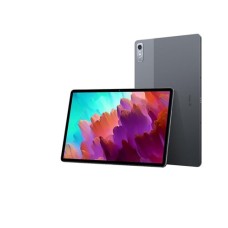
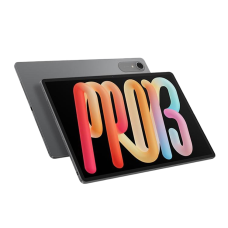
- Lenovo Xiaoxin Pad Pro 12.7 inch: Premium large-screen model with 144Hz high-refresh 12.7-inch display, Snapdragon 870, 8GB RAM + 256GB storage. Ideal for gaming, creative work, and high-res entertainment—around 45,500–49,500৳.
- Lenovo Xiaoxin Pad 2024 8/256: Upgraded variant of the 2024 Xiaoxin Pad with higher 8GB RAM + 256GB storage on 11-inch IPS. Excellent for heavier apps, storage needs, and future-proofing—priced at 30,999৳.
- Lenovo Tab M10 Plus (3rd Gen): 10.61-inch 2K display with Snapdragon processor, 6GB RAM + 128GB storage. Balanced for study, video calls, and casual use with good visuals
- Lenovo Tab K11 / P11 J6C6F Plus: 11-inch 2K multitouch screen, Helio G90T processor, 6GB RAM + 128GB. Strong mid-range for performance, gaming, and productivity
Buy Authentic Lenovo Tablets with Official Warranty Support at PC House
Purchasing a Lenovo tablet from PC House gives you complete confidence in getting a genuine product with top-tier service. As a trusted retailer in Bangladesh with years of experience, PC House sources all Lenovo devices directly from authorized distributors, ensuring no counterfeit or grey-market risks. This means you enjoy reliable performance, full warranty coverage, and expert support tailored for Bangladeshi users.
Key Benefits of Buying Lenovo Tablets from PC House:
- 100% authentic and original Lenovo products with no refurbished or duplicate items
- Full official Lenovo warranty (typically 1 year, with extended options on select models)
- Thorough pre-delivery inspection and testing by trained technicians
- Dedicated after-sales service for repairs, software troubleshooting, and hardware support
- Hassle-free EMI plans and flexible payment options for easy purchases
- Transparent pricing with no hidden fees or misleading specifications
- Expert guidance from knowledgeable staff to help choose the perfect model for your needs (study, gaming, entertainment, etc.)
- Convenient online shopping with fast delivery across Dhaka and nationwide, plus in-store pickup options
Alongside your new Lenovo tablet, you can easily add complementary items that enhance your setup perfectly, like Slim & Portable Laptop for better productivity, vivid clarity monitors for sharper viewing, high-performance graphics card for gaming or video editing, fast RAM to keep everything running smooth, and precision gaming accessories such as keyboards and mice. Everything is genuine, comes with proper warranty, fast handling, and no fake products or long waits. This way you save time by not running around different shops, the quality stays consistent on every piece, and if you're confused about what to choose just ask us – we'll suggest what's right for your use and budget, no pressure at all. Explore the full range at PC House for laptops, all brand tablet, PC parts, gaming gear, networking devices, and more, making PC House your one-stop shop for authentic tech in Bangladesh.
Essential Maintenance Guide to Enhance the Performance of Your Lenovo Tablet
Keep your brand-new Lenovo tablet performing like day one for years with these simple, effective habits:
- Avoid letting the battery drop to 0% frequently—try to charge between 20–80% for longer battery health
- Regularly install system updates and app updates from Google Play to get the latest performance improvements, bug fixes, and security patches
- Always use a good-quality protective case and tempered glass screen protector to prevent scratches, drops, and screen damage
- Keep storage free—delete unused apps, clear cache regularly, and use microSD expansion (available on most models) instead of overloading internal memory
- Restart the tablet once a week and avoid running too many background apps to maintain smooth speed and prevent overheating
Following these easy steps can significantly extend your tablet’s lifespan, battery performance, and overall reliability.